
How to make Swatches required
Make Infinite Options swatches required so shoppers must choose one, either with a required prompt on standard swatches or a multi-select setup.
By default, swatches work like radio buttons. One value is always pre-selected when a customer lands on the product page. If you’d rather have customers make an active choice, there are two ways to set that up.
Option 1: Keep standard swatches and add a required prompt
Section titled “Option 1: Keep standard swatches and add a required prompt”Leave Allow for Multiple Selections turned off. One swatch will still be pre-selected by default, but you can mark the field as required to prompt customers before they add to cart.
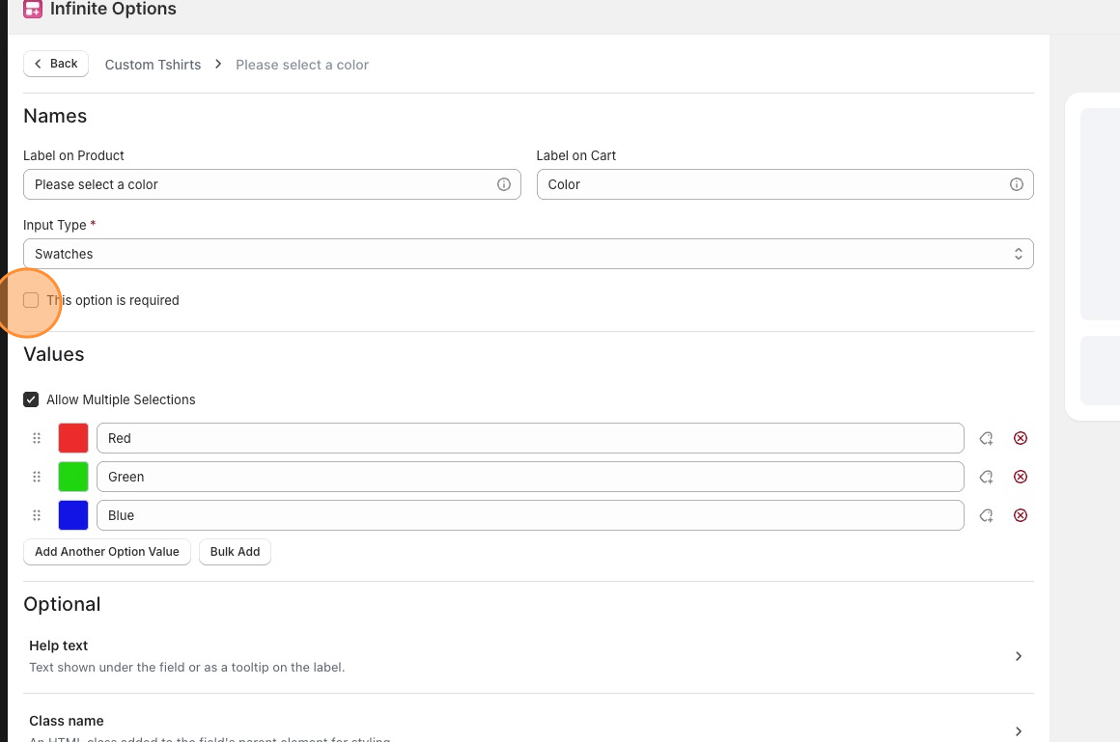
This works well if you want a clean look and are okay with a value being pre-selected.
Option 2: Use multiple selections to require an active choice
Section titled “Option 2: Use multiple selections to require an active choice”Enable Allow for Multiple Selections and check This option is required. With this setup nothing is pre-selected when the page loads, and customers have to click a swatch before they can add to cart.
By default the minimum is set to 1 with no maximum, but you can adjust those limits in the field settings.
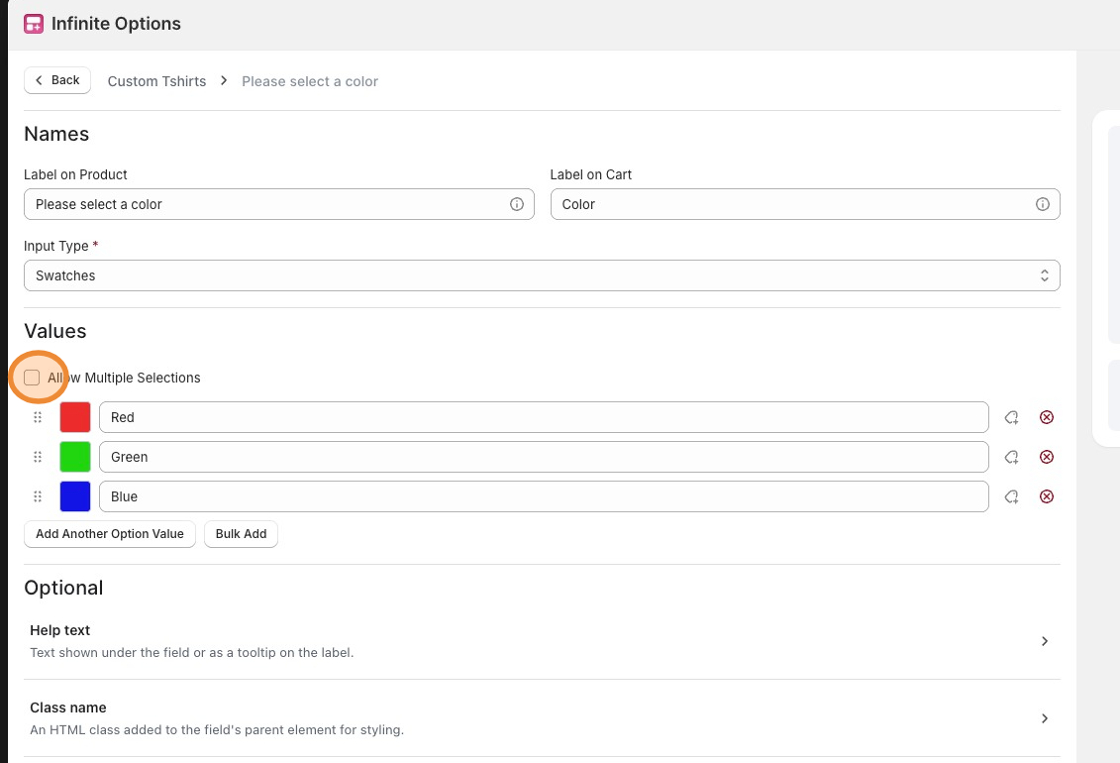
The tradeoff is that swatches behave a little differently here.
Customers click once to select and again to deselect, which is different from the standard experience.