
Moving from Product Bundling to Add-on Pricing
Switch from legacy Product Bundling to Infinite Options add-on pricing, with a summary of what changes and the steps to migrate your paid options.
If you set up paid options in Infinite Options a while ago, you may be using Product Bundling (legacy).
Add-on pricing is a meaningful upgrade: more price types, no product needed, and cleaner carts and orders. Switching is simpler than it sounds.
This page walks you through what’s changed and how to switch.
What’s the difference?
Section titled “What’s the difference?”If you’ve ever had a customer accidentally remove a paid add-on from their cart, that’s legacy bundling. The feature also requires your add-on products to be published to your Online Store, and it leaves tracking codes scattered across your order backend that can make things harder to read.
Legacy Cart View
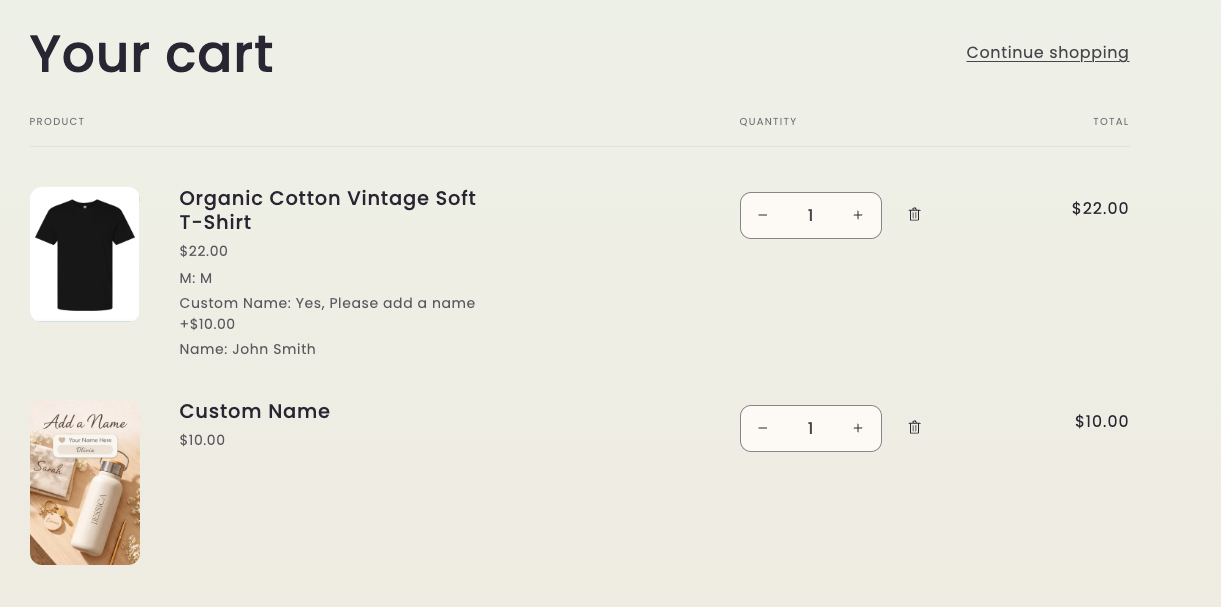
Add-on pricing cleans all of that up. If you choose to attach a product to a priced selection, add-ons stay attached to the main product, you control pricing directly inside Infinite Options, and your orders look the way you’d actually want them to.
Add-on Pricing Cart View
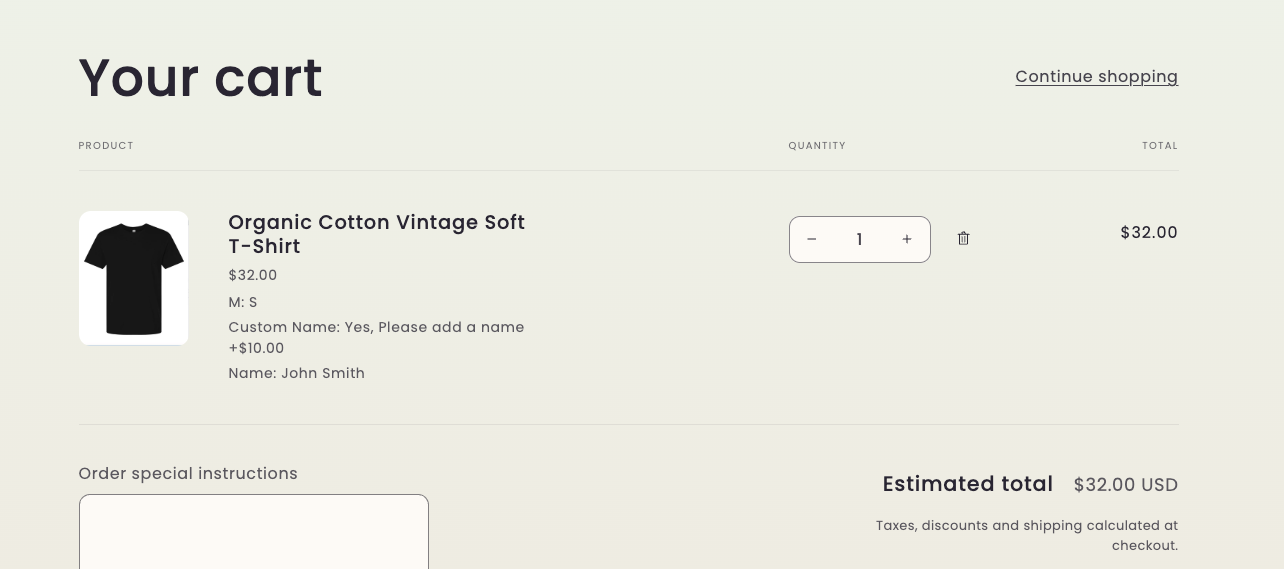
The Difference of Product Bundling vs Add-on Pricing
Section titled “The Difference of Product Bundling vs Add-on Pricing”| Does it support? | Product Bundling | Add-on Pricing |
|---|---|---|
| Charge without a Shopify product | No | Yes |
| Flat rate, percentage, and per character pricing | No | Yes |
| Add-on removable from cart | Yes | No |
| Product must be published to Online Store | Yes | No |
| Pricing controlled inside the app | No | Yes |
| Order display | Separate line items | Grouped under main product |
| Backend order codes | _io_parent_order_group visible |
Not shown |
| Shop Button | Shop Pay not supported | Compatible with Shop Pay |
Do I need to rebuild anything?
Section titled “Do I need to rebuild anything?”No. :tada: Your existing bundles stay connected. Switching to Add-on Pricing doesn’t remove or reset anything. You don’t need to recreate your add-on products or reassign them.
Your existing priced options keep charging per quantity. Once you’ve switched, you can change any of them to a new price type.
How to switch
Section titled “How to switch”- Open Infinite Options
- Go to Settings > Product Bundle
- Toggle Native Bundling on
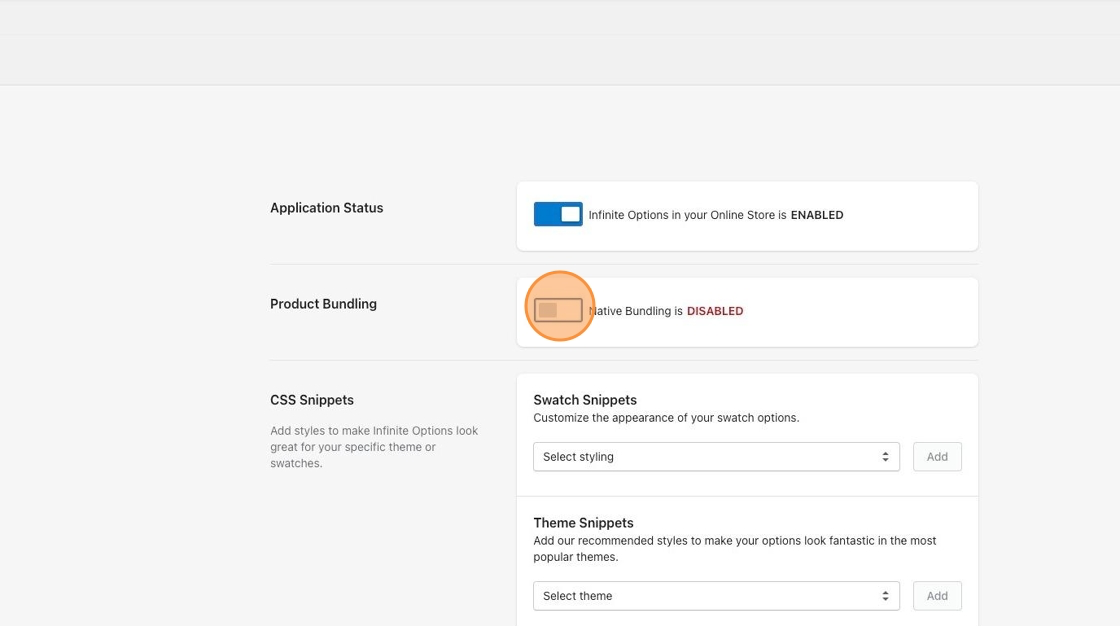
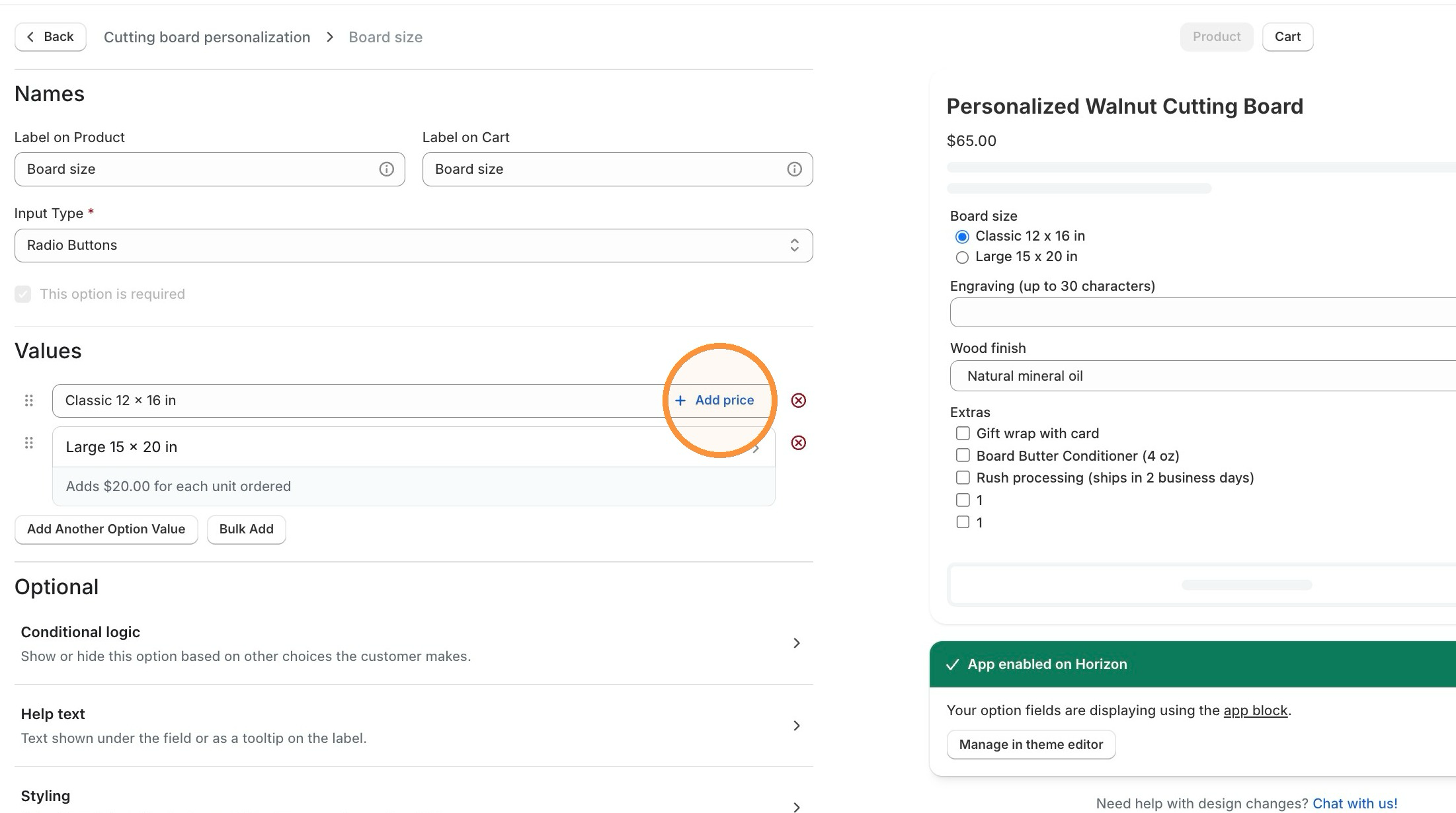
You can turn it off later, unless an option set uses a feature that needs it, such as a flat rate, percentage, or per character price, a price with no product, or a product Infinite Options created.
Settings lists those option sets so you can change them first.
What does it look like for customers?
Section titled “What does it look like for customers?”You can see add-on pricing in action on our demo store: Black Leather Bag. Notice that selecting a paid add-on updates the price display and keeps the add-on attached when the item is added to the cart.
What’s improved with Add-on Pricing
Section titled “What’s improved with Add-on Pricing”Add-on products do not need to be published to the Online Store. They can stay hidden while still adding cost.
Pricing is set directly inside Infinite Options. The price you enter is the price customers are charged.
Add-ons stay attached to the main product. They cannot be removed from the cart separately.
Orders are cleaner in Shopify. Bundled items appear grouped under the main product. You will no longer see the _io_parent_order_group code on the backend of orders.
Showing price changes on the product page
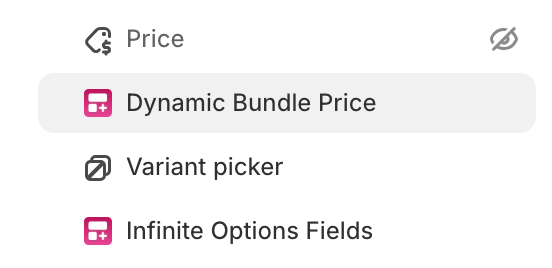
Section titled “Showing price changes on the product page”After switching to Add-on Pricing, you’ll want customers to see the updated price as they select options. This is done by installing the Dynamic Bundling Price Block in your Shopify theme editor.
See the full setup guide: Show price changes on the product page
Something not working?
Section titled “Something not working?”Here are the most common snags and how to get past them.
I don’t see the Native Bundling toggle. Head to Settings > Product Bundling inside Infinite Options. If you’re on a legacy plan, you’ll see an upgrade prompt first. If nothing shows up at all, reach out to support and we can help figure out what’s going on.
I switched to Add-on Pricing but the price isn’t updating on my product page. That’s expected until you install the Dynamic Bundling Price Block in your Shopify theme editor. It’s a quick setup: Show price changes on the product page
My add-ons are still appearing as separate items in the cart. Double-check that Native Bundling is saved and on in Settings > Product Bundling, then refresh the page. Your browser can take 2-3 minutes to reflect the change. If it’s enabled and you’re still seeing separate line items, reach out to support and we’ll dig in.