
Configure How Many Checkbox Values Shoppers Can Select
Set minimum and maximum selections on an Infinite Options checkbox field, or make it behave like a single choice, using Additional configuration.
Checkbox fields allow shoppers to select multiple values by default. If you want to require a certain number of selections or limit how many options shoppers can choose, you can adjust the field’s Additional configuration settings.
Limit Shoppers to One Checkbox Selection
Section titled “Limit Shoppers to One Checkbox Selection”If you want a checkbox field to work like a single-choice option:
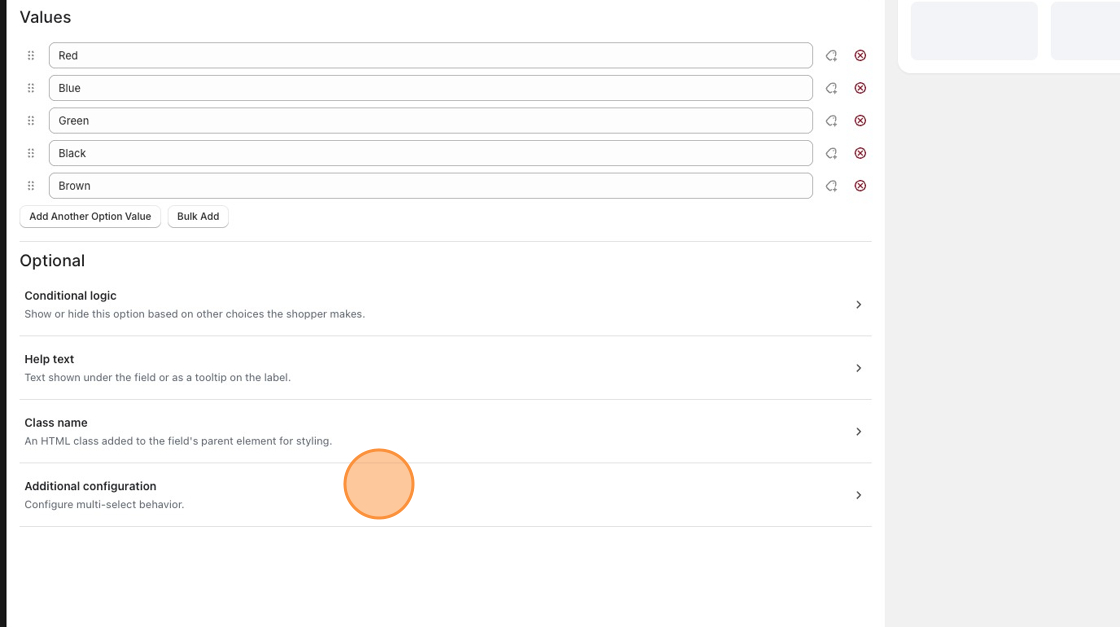
- Open the option field.
- Scroll down to Optional.
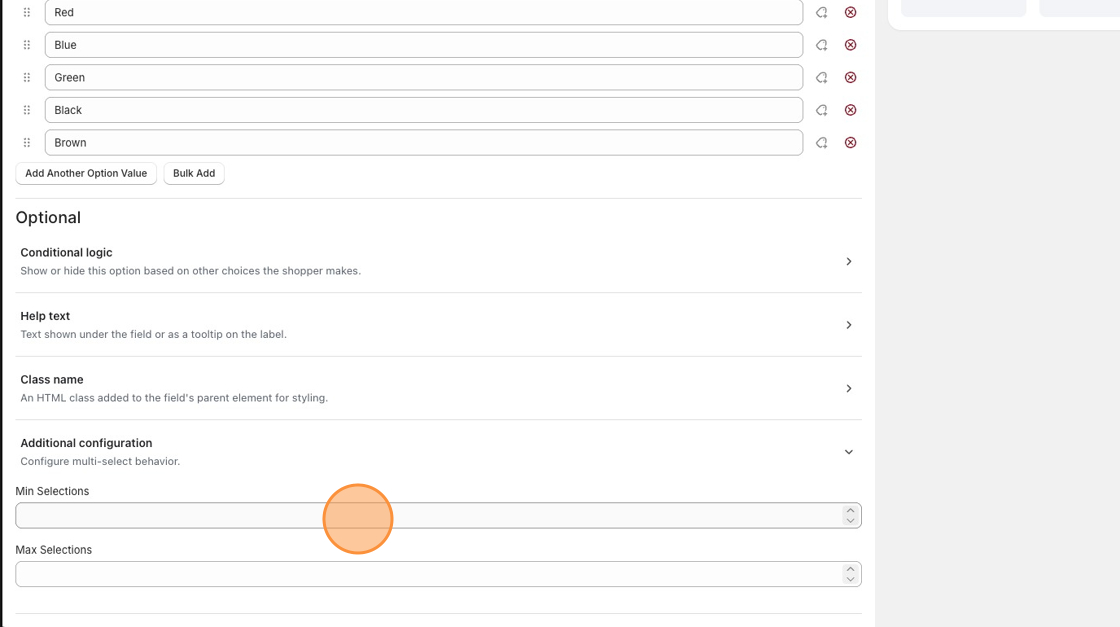
- Click Additional configuration.
- Set:
- Min Selections:
1 - Max Selections:
1
- Min Selections:
Shoppers will still see the checkbox layout, but they’ll only be able to select one value at a time.
Allow Multiple Choices With a Limit
Section titled “Allow Multiple Choices With a Limit”You can also use these settings to control any selection range:
- Require shoppers to pick 1 to 3 values:
- Min Selections:
1 - Max Selections:
3
- Min Selections:
- Make the field optional, but allow up to 2 choices:
- Min Selections:
0 - Max Selections:
2
- Min Selections:
Prefer a Single-Choice Style?
Section titled “Prefer a Single-Choice Style?”If shoppers should only choose one option, you can also use a radio button or dropdown field. These field types automatically limit shoppers to one selection and can make the choice clearer.