
Get started with the Uploadery Expert Install Service
Request the Uploadery Expert Install Service from the Help tab of your dashboard and learn what happens after you submit your store details.
Need some assistance setting up and styling Uploadery? Simply request the Expert Install Service from your Uploadery dashboard under the Help tab, and our team can do it for you. Click here to see what’s included.
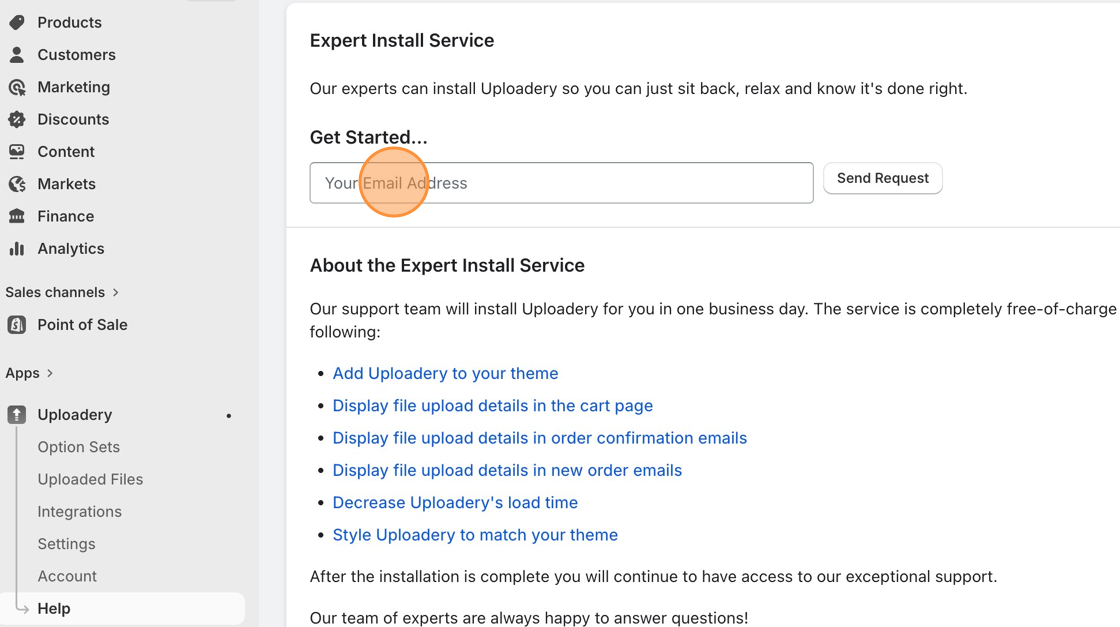
After you’ve filled out the information, we’ll proceed with sending a collaborator’s request so we can start the app installation within 1 business day.
In this section
What's included with the Uploadery Expert Install ServiceSee what the Uploadery Expert Install Service covers for one theme, including setup and styling, and when to expect it to be finished.
Approving ShopPad Collaborator RequestApprove a ShopPad collaborator request in Shopify so our team can install Uploadery for you, without using up a staff account on your store.
Add a ShopPad team member to your storeInvite the ShopPad team to your Shopify admin as staff so we can set up Uploadery for you as part of the Expert Install Service.
Development Store/Affiliate Store InstallationLearn how to install Uploadery for free on a Shopify development or Affiliate plan store, and what the dashboard warning means while you build.