
Add Tracktor to your store's navigation
Add a tracking link to your Shopify store menu by editing a Menus entry under Content, so customers can reach the Tracktor page from any page.
Follow along with the step-by-step instructions or watch the video below to add a tracking link to your store.

1. Starting from your Shopify admin dashboard, head to the Menus tab located within the Content section.
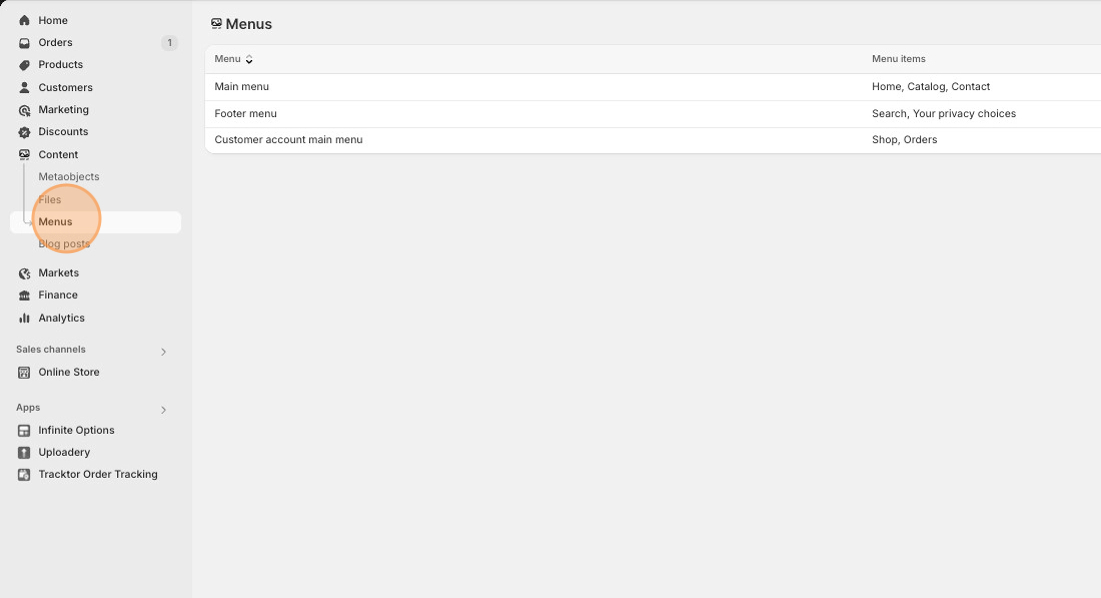
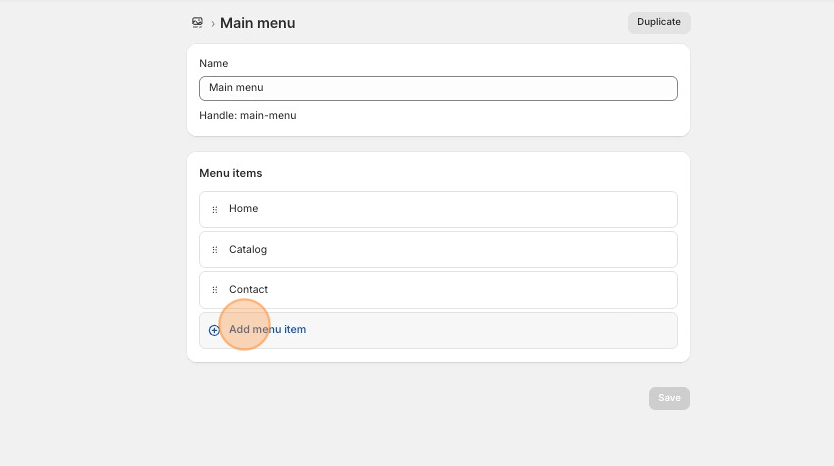
2. Locate and click on the menu you want to add the link to.
3. Click on the Add menu item button.
4. Copy the code below
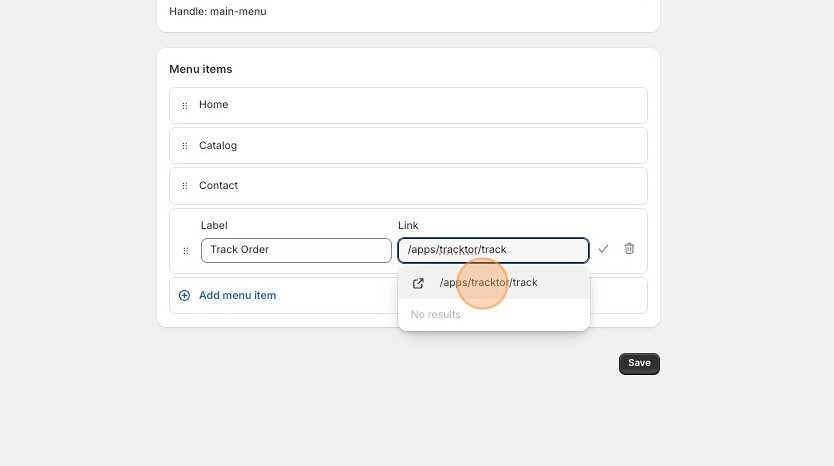
/apps/tracktor/track5. Fill in the Name of your page, input the above line within the Link section.
6. Once /apps/tracktor/track appears above where you type it in, you’ll want to click on it.
7. Click the check mark and then click on Save.
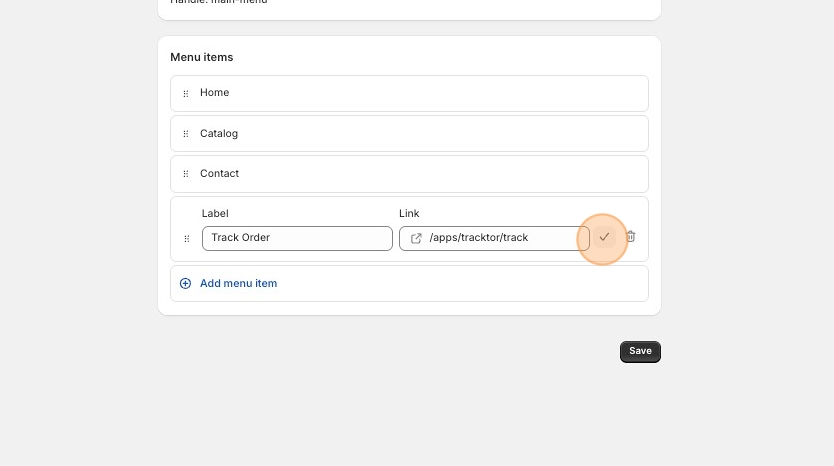
You can now check out the new tracking page link on your store! 😄