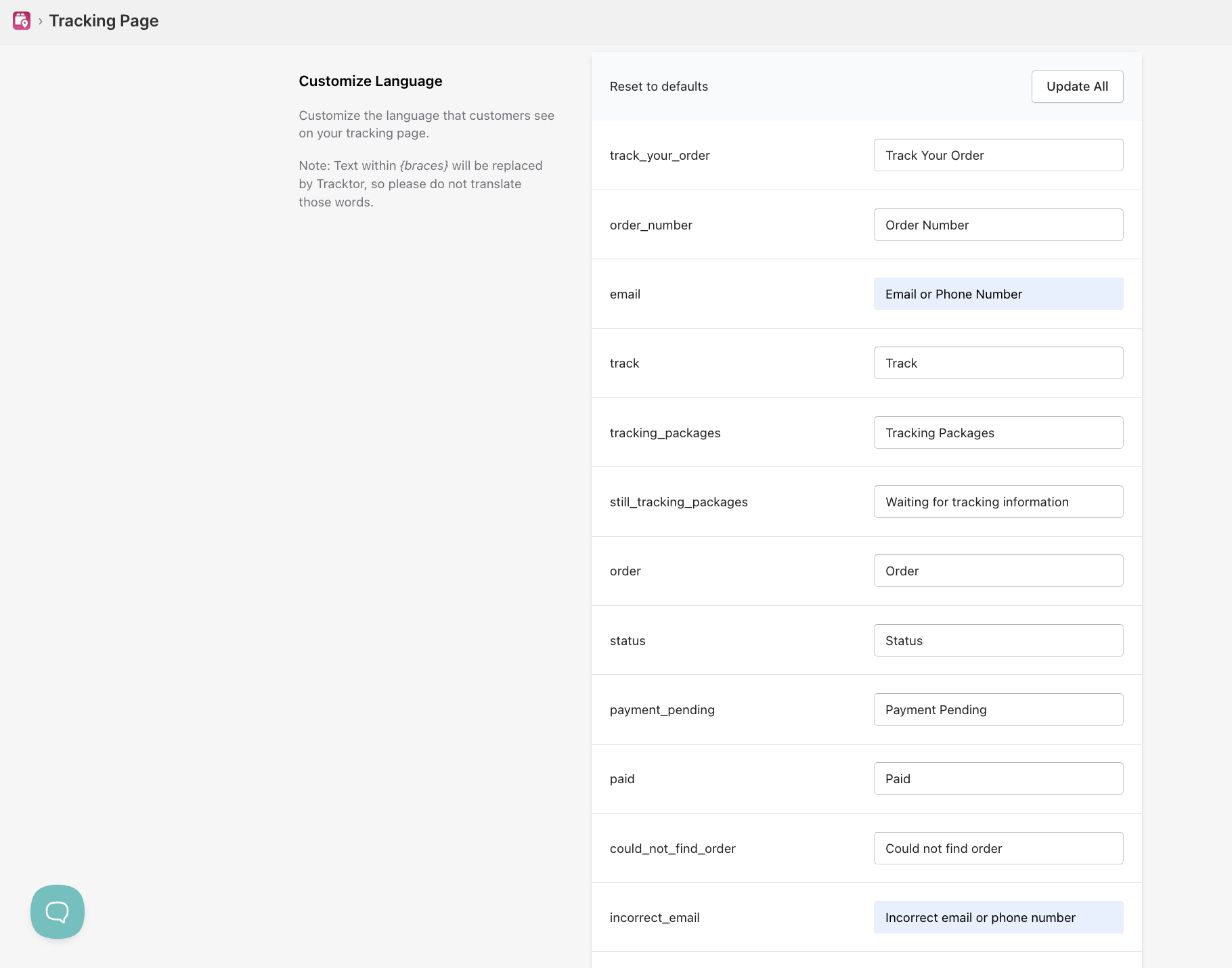
Tracking by phone number or email address
See how customers look up an order on the Tracktor page with an email, tracking number or phone number, and when phone lookup is available.
Customers can look up their order using their email address, tracking number, or phone number. Phone number lookup is only available if the customer entered a phone number at checkout.
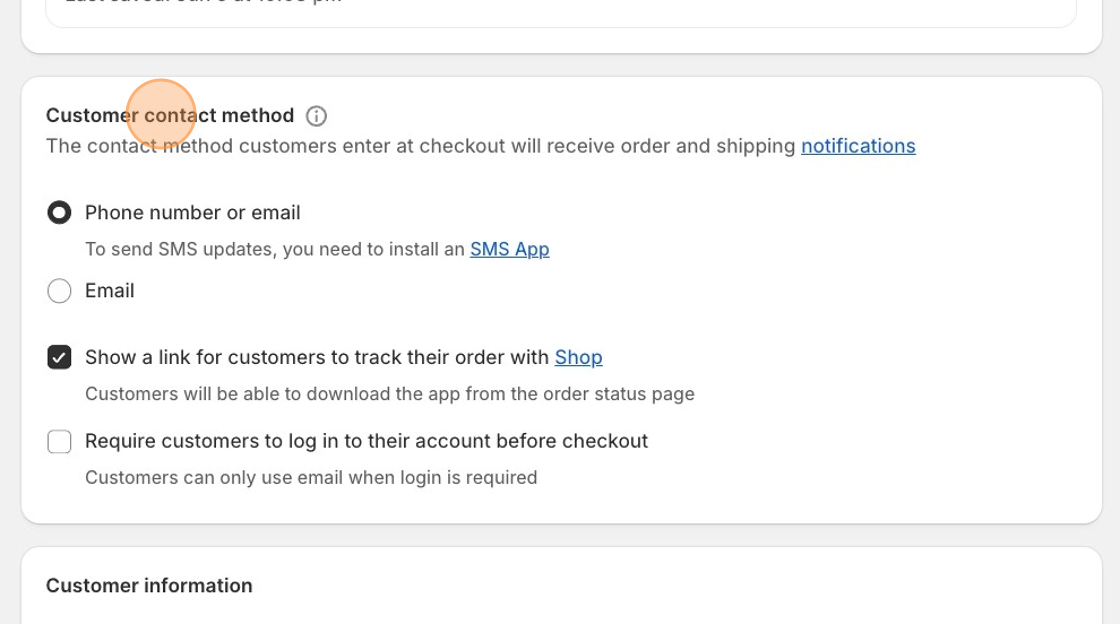
Step 1: Configure your Shopify checkout settings
Section titled “Step 1: Configure your Shopify checkout settings”This is a Shopify setting, not a Tracktor setting.
- From your Shopify admin, go to Settings > Checkout.
- Under Customer contact method, select Phone number or email.
- Save your changes.
Step 2: Update your Tracktor translation strings
Section titled “Step 2: Update your Tracktor translation strings”- From the Tracktor dashboard, go to the Settings tab.
- Scroll down to the Customize Language section.
- Find the email field and update it to say Email or phone number.
- Click the blue Save Changes button in the top right.