> For the complete documentation index, see [llms.txt](https://docs.theshoppad.com/uploadery/llms.txt). Markdown versions of documentation pages are available by appending `.md` to page URLs; this page is available as [Markdown](https://docs.theshoppad.com/uploadery/set-up-and-manage-upload-fields/set-upload-field-as-required.md).
# Make Upload Field Required
Make an Uploadery upload field required from the Advanced Options of an option set, so shoppers must attach a file before adding to cart.
Follow the steps below to set an Upload field as required.
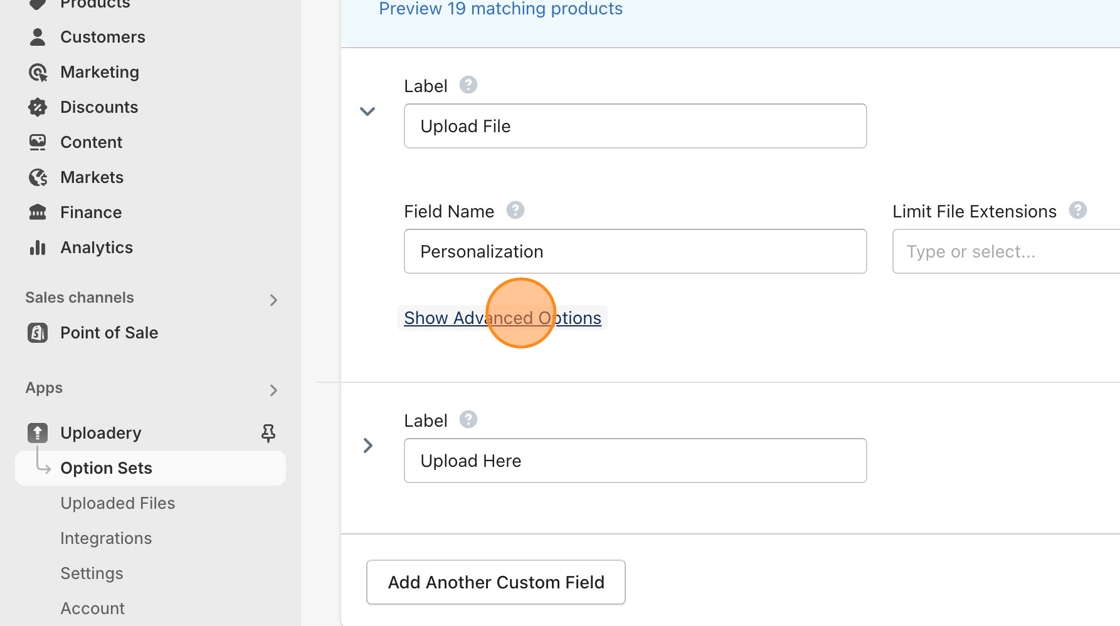
1\. Navigate to the **Option Sets** section of the Uploadery app in the left sidebar or create a new Option Set if you have not done so already.
2\. Click on Advanced Options to reveal the additional controls.
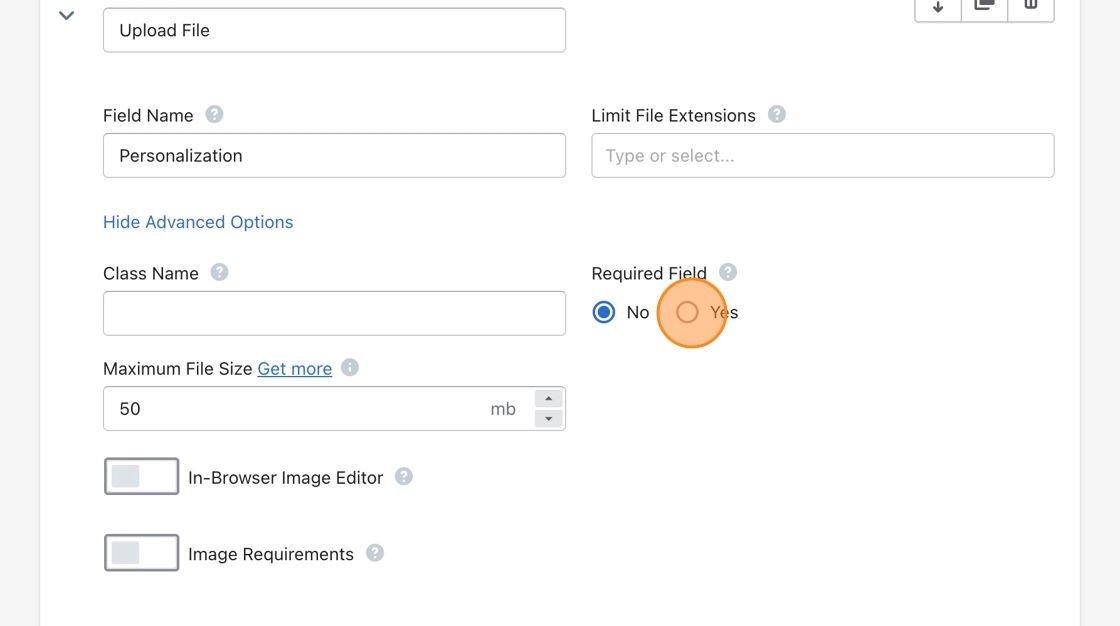
3\. Select the **Yes** under the Required Field label.
4\. Don't forget to **Save** your changes!