> For the complete documentation index, see [llms.txt](https://docs.theshoppad.com/pagestudio/llms.txt). Markdown versions of documentation pages are available by appending `.md` to page URLs; this page is available as [Markdown](https://docs.theshoppad.com/pagestudio/readme/create-landing-pages.md).
# Create landing pages
Add a page.studio-landing template to your Shopify theme so you can design landing pages in Page Studio.
In order to design landing pages in Page Studio, you will need to create a new **page.studio-landing** template within your Shopify theme.
Follow the steps below on how to create this template.
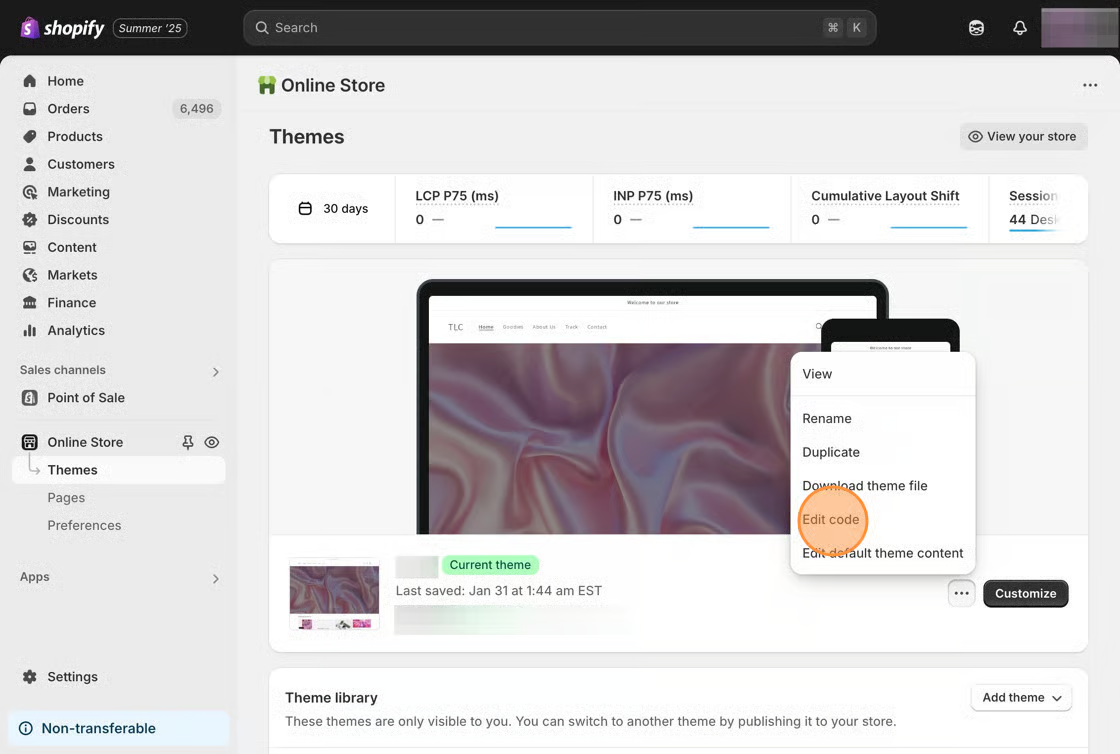
1\. From your Shopify admin, click **Online Store**, then click **Themes.**
2\. Find the theme you want to edit, click the **Actions** button, then click **Edit code.**
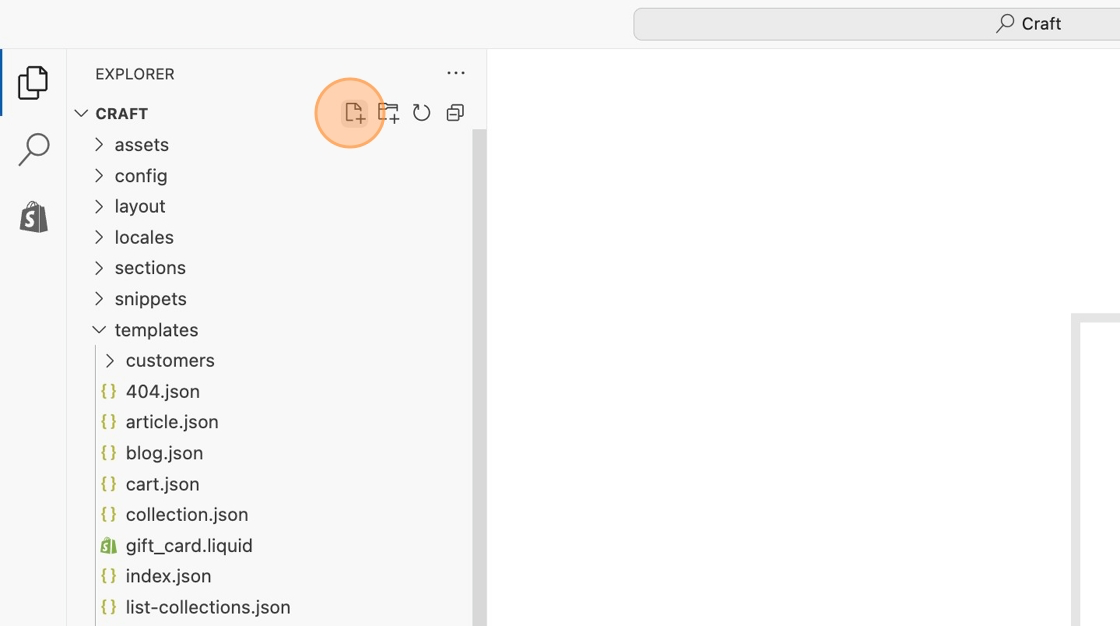
3\. On the left sidebar, click the **Templates** heading, then click on **Add a new file**.
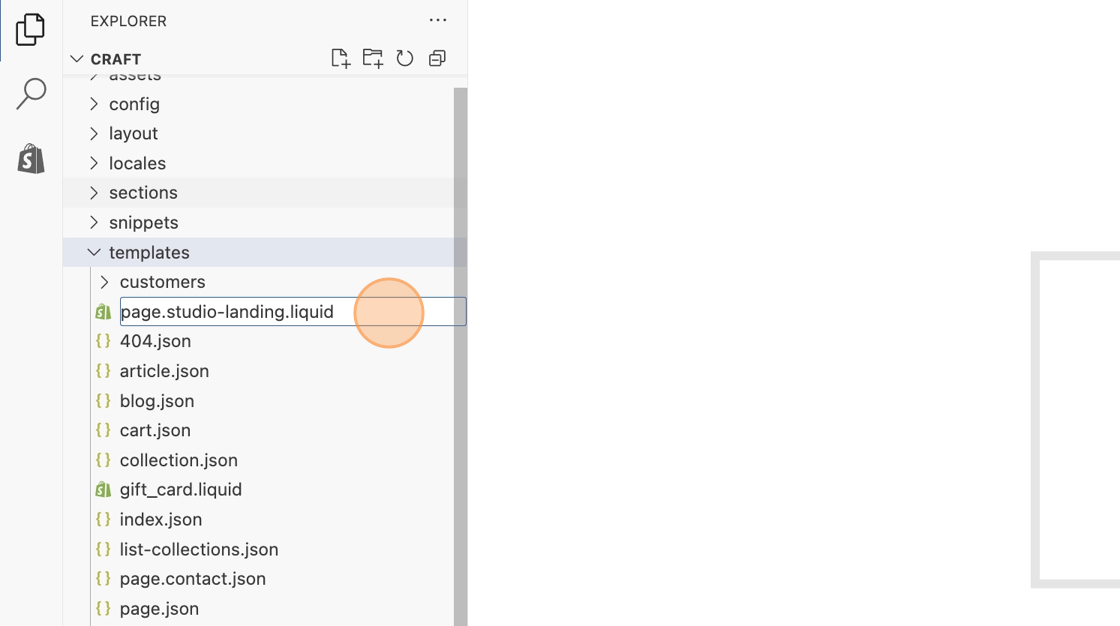
4\. Create the template using the following format exactly as it is typed and hit enter to complete creating the file.
5\. Replace any code within the new template with the following snippet.
```html
{% layout none %}
{{ page.content }}
```
6\. Save your changes.
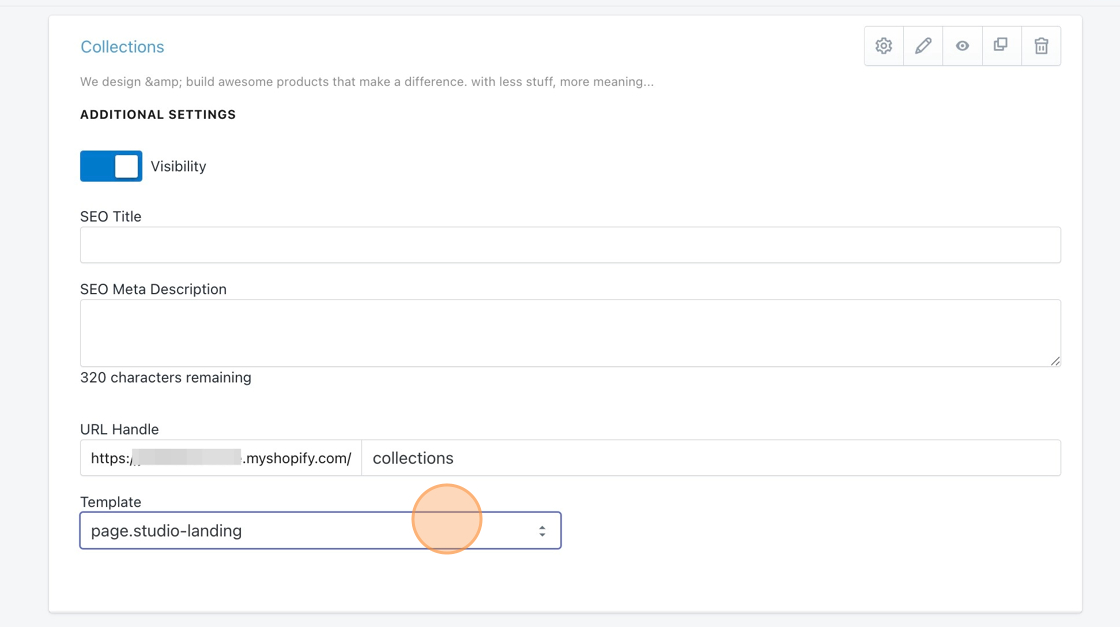
Now you'll be able to select this template from the Page Studio dashboard, and use it to create beautiful landing pages!