> For the complete documentation index, see [llms.txt](https://docs.theshoppad.com/pagestudio/llms.txt). Markdown versions of documentation pages are available by appending `.md` to page URLs; this page is available as [Markdown](https://docs.theshoppad.com/pagestudio/customize-the-app/how-to-add-alt-text-to-images.md).
# How to add Alt Text to Images
Add alt text to images on a Page Studio page for accessibility and search engines.
Follow the steps below on how to add alt text to images.
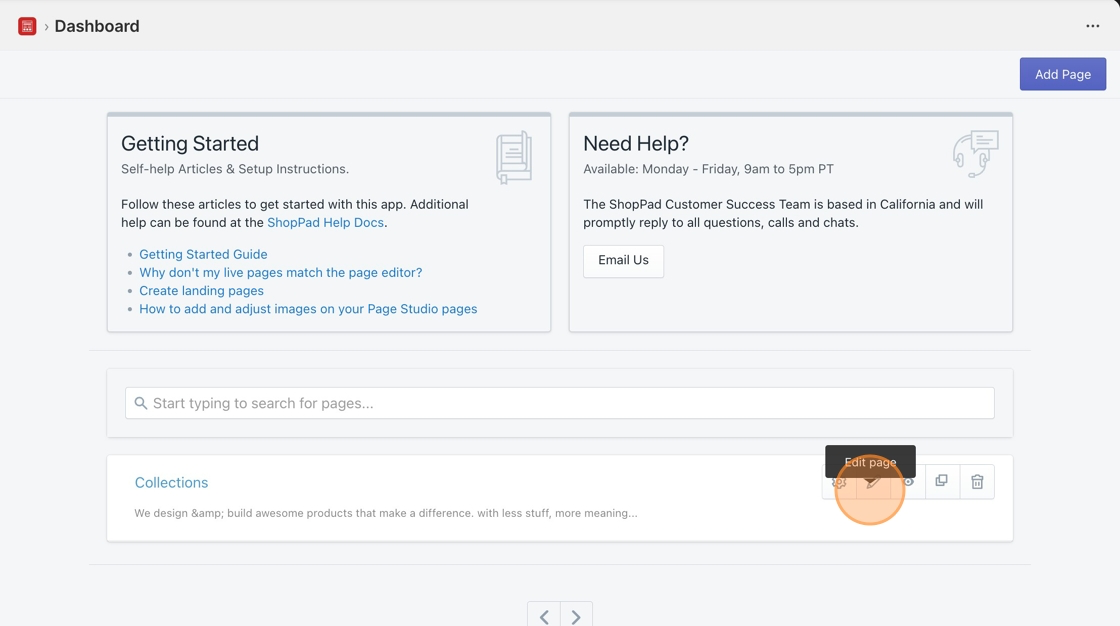
1\. Starting from your Page Studio dashboard, click the **Pencil icon** to edit a page.
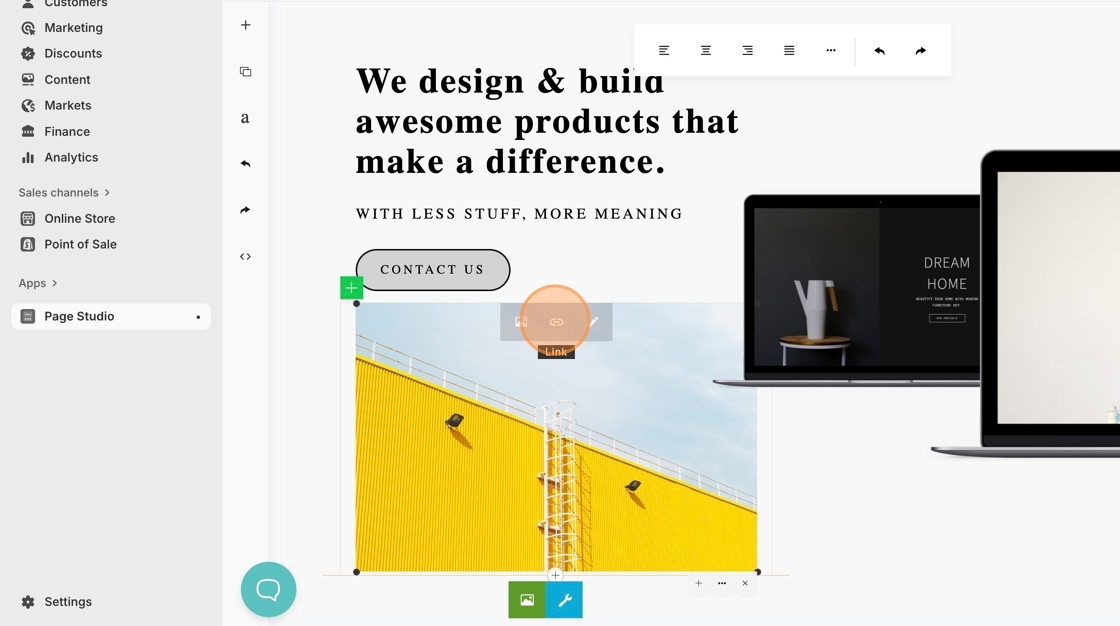
2\. Locate your image to add the alt text.
3\. Click the image, then hit the **Link icon**.
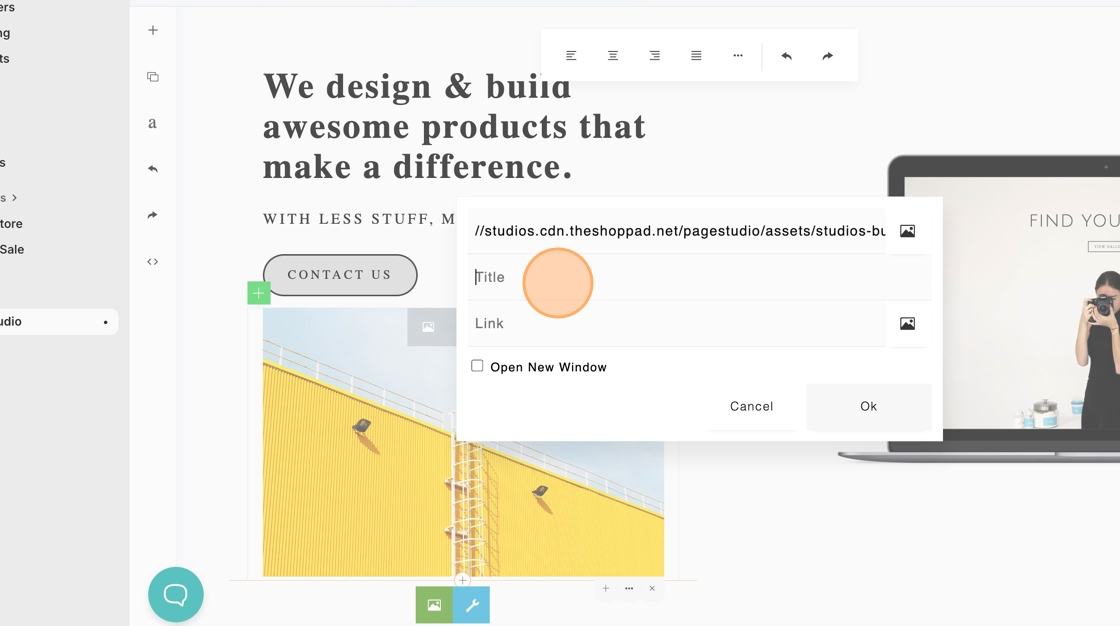
4\. Add the alt text to the **Title field**.
5\. Click **Ok**.
6\. Save your changes.