> For the complete documentation index, see [llms.txt](https://docs.theshoppad.com/infinite-options/llms.txt). Markdown versions of documentation pages are available by appending `.md` to page URLs; this page is available as [Markdown](https://docs.theshoppad.com/infinite-options/welcome/native-bundling.md).
# Adding an extra cost to your option
Add an extra charge to an Infinite Options value or text field, like engraving or gift wrap, with optional SKU and inventory tracking.
## Increase the Cost of an Option
**Want to charge more when a customer picks an option, like engraving, gift wrap, or rush processing?**
Infinite Options lets you add a price to any option value, or charge per character on a text field. You don't need to create a Shopify product first, but you can attach one if you want an SKU or inventory tracking.
## 💡 How it works
Use Infinite Options to set a price for an option selection you create by simply adding a price, or add a price to a selection while also attaching a product for SKU or inventory tracking.
:::note
With legacy bundling, Infinite Options automatically adds a hidden add-on product to the cart and Shopify uses that product to apply the additional charge.
:::
## How to Add a Cost to an Option
* [Set it up](https://docs.theshoppad.com/infinite-options/~/revisions/Fn9MVfgGj4OvIppAlWdD/increase-the-cost-of-an-option/native-bundling/)
* [Show the price on your product page](https://docs.theshoppad.com/infinite-options/~/revisions/Fn9MVfgGj4OvIppAlWdD/increase-the-cost-of-an-option/show-price-changes-on-the-product-page/)
* [Track stock and inventory for an add-on](https://docs.theshoppad.com/infinite-options/~/revisions/Fn9MVfgGj4OvIppAlWdD/managing-your-options/track-inventory/)
## Want to Charge for a Text Field?
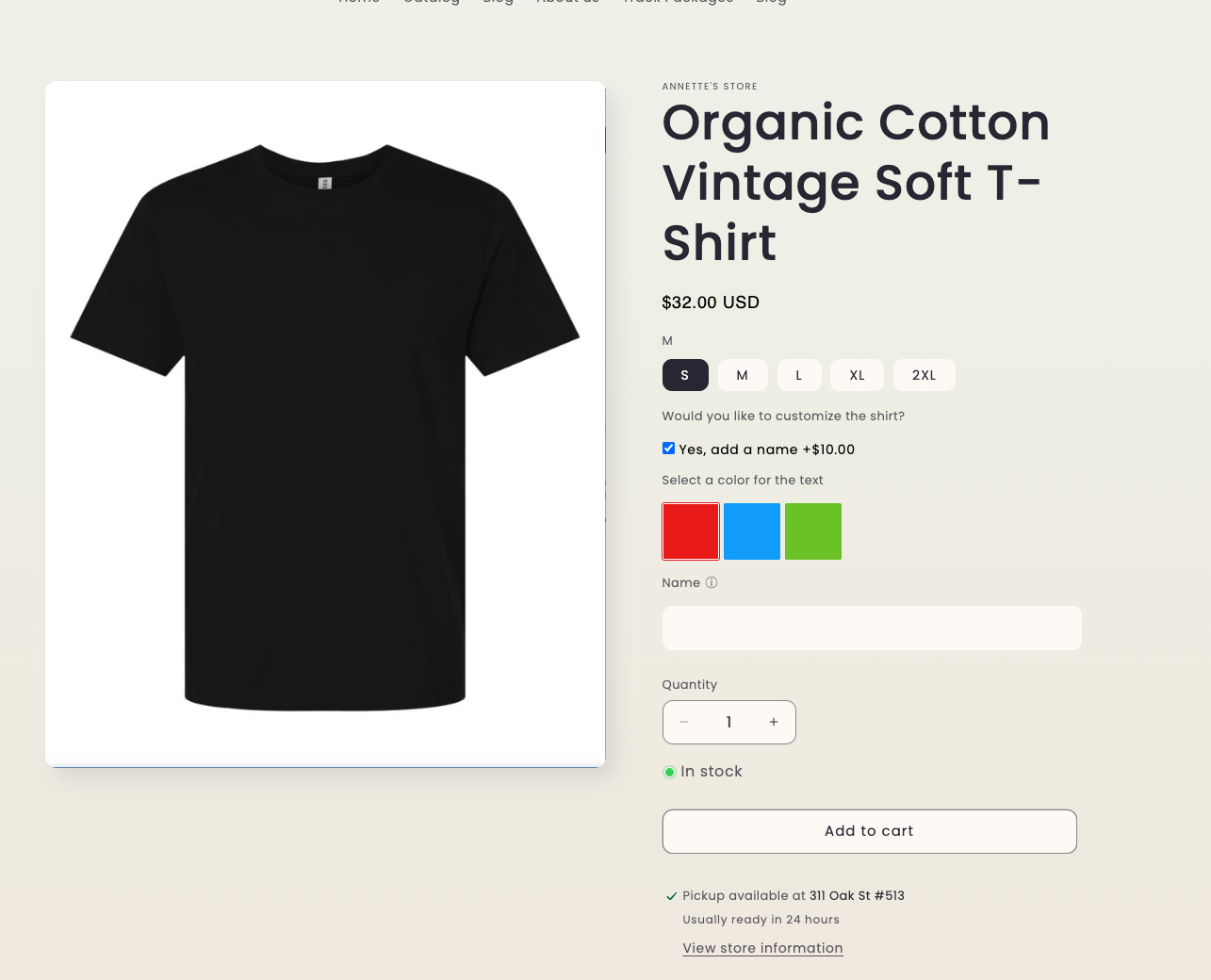
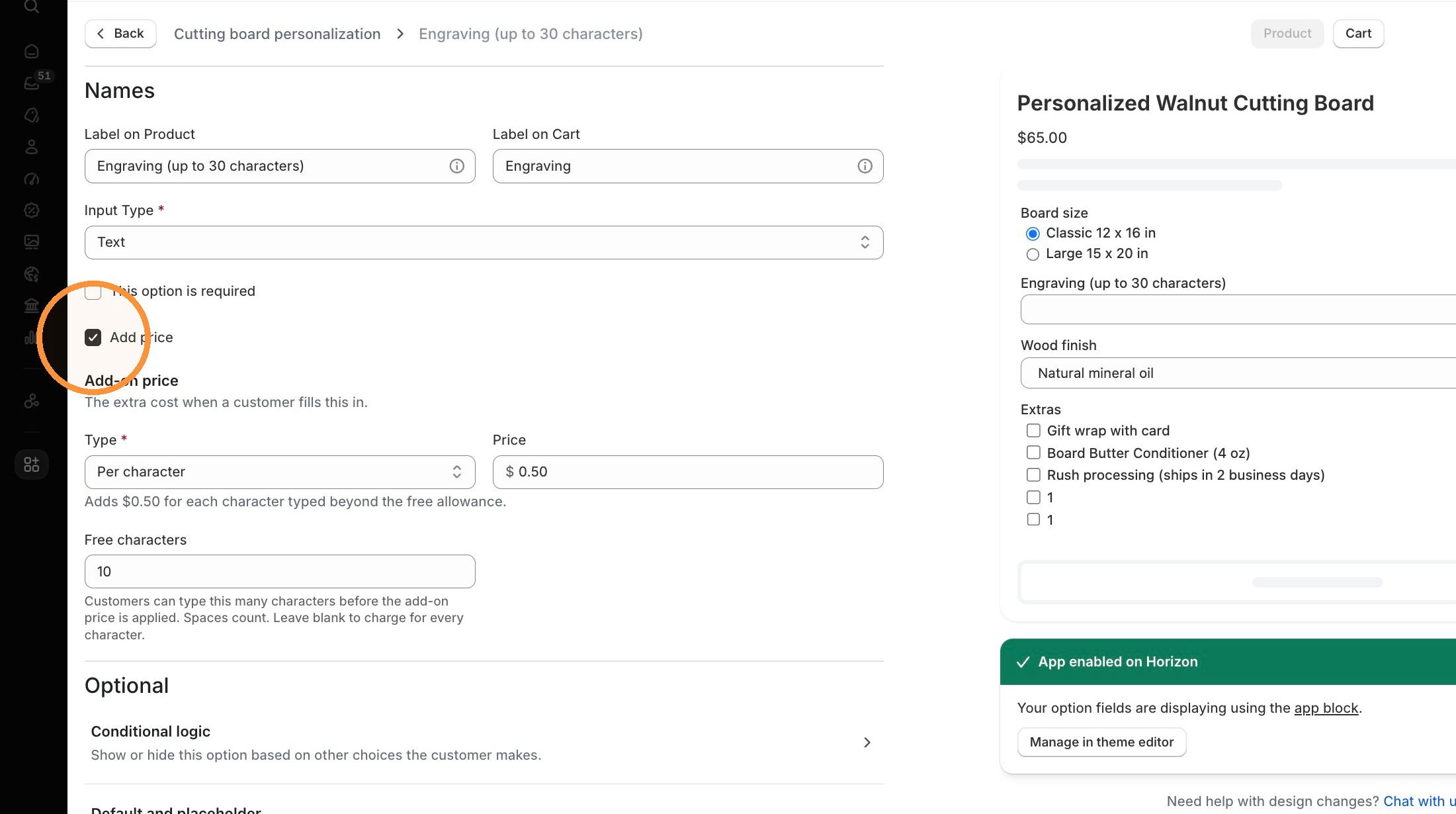
When creating a text input option, [check the box to add a price](https://docs.theshoppad.com/infinite-options/~/revisions/Fn9MVfgGj4OvIppAlWdD/increase-the-cost-of-an-option/native-bundling/#step-2).
## What if I'm using Product Bundling (legacy)?
Product Bundling always needs a Shopify product for each priced option, and that product must stay available on the Online Store sales channel. If it isn't, Shopify shows a "Cannot find variant" error when a customer selects the option.
### How do I know which one I'm using?
In Infinite Options, go to Settings and refer to the Product Bundling section. If the Native Bundling setting is on, you're using add-on pricing. If it's off, you're using Product Bundling (legacy).
## Shopify Discounts
Add-on pricing is calculated after discounts, so the add-on amount gets smaller when the product is on sale.
See [Add-on Pricing and Shopify Discounts](https://docs.theshoppad.com/infinite-options/increase-the-cost-of-an-option/add-on-pricing-and-shopify-discounts/) for a full breakdown.
## Common Questions
Do customers see the add-on product?
No. The product does not need to be on the Online Store sales channel.
Without that sales channel, it remains hidden from your storefront.
Why isn't my price updating on the product page?
\
That's expected. The price updates in the cart by default. To show it on the product page, add the [Dynamic Bundle Price block](https://docs.theshoppad.com/infinite-options/welcome/native-bundling/#add-the-dynamic-bundle-price-block) to your product template. See [Show price changes on the product page](https://docs.theshoppad.com/infinite-options/~/revisions/qG57U0jJUvpu1ZSKEAp0/increase-the-cost-of-an-option/show-price-changes-on-the-product-page/) for instructions.
How does product weight work?
The add-on product's weight is included in the order's shipping calculation. If it shouldn't affect shipping, set the weight to zero in Shopify.
Can I track inventory?
Yes. Refer to our guide for how to [track inventory](https://docs.theshoppad.com/infinite-options/~/revisions/qG57U0jJUvpu1ZSKEAp0/managing-your-options/track-inventory/).