> For the complete documentation index, see [llms.txt](https://docs.theshoppad.com/infinite-options/llms.txt). Markdown versions of documentation pages are available by appending `.md` to page URLs; this page is available as [Markdown](https://docs.theshoppad.com/infinite-options/managing-your-options/bulk-add-values.md).
# Bulk Add Values
Paste or type a list of values into Infinite Options Bulk Add to fill a drop-down or other option quickly instead of adding each value one at a time.
Infinite Options supports adding multiple values to an option at once using the Bulk Add feature. This works on any option type that supports values, such as a Drop-Down Menu.
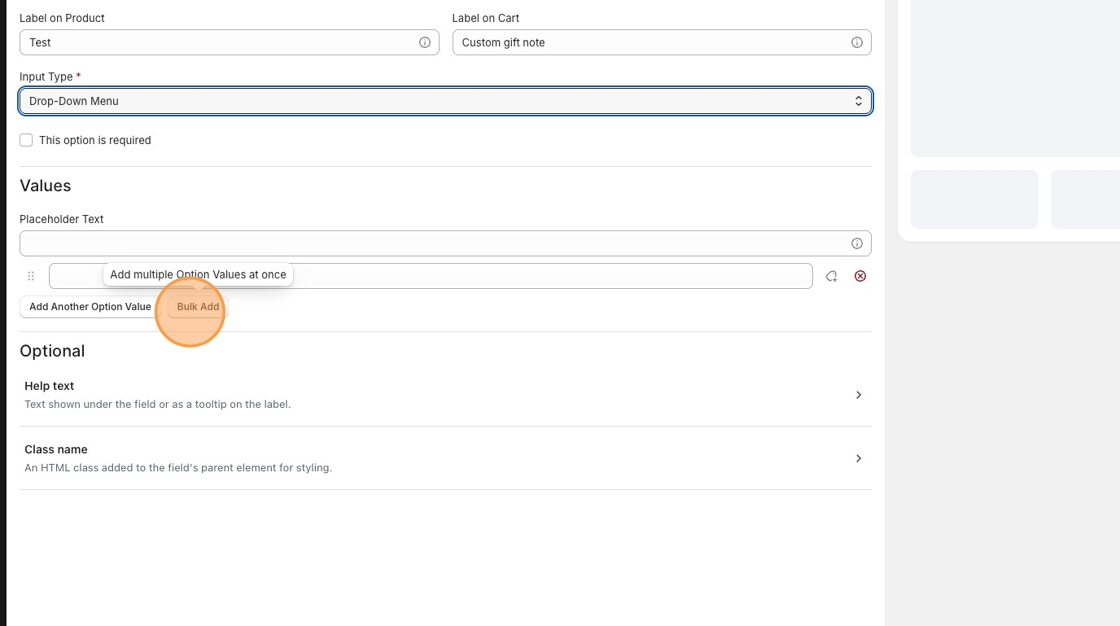
1. Inside your option set, scroll down to the **Values** section and click **Bulk Add**.
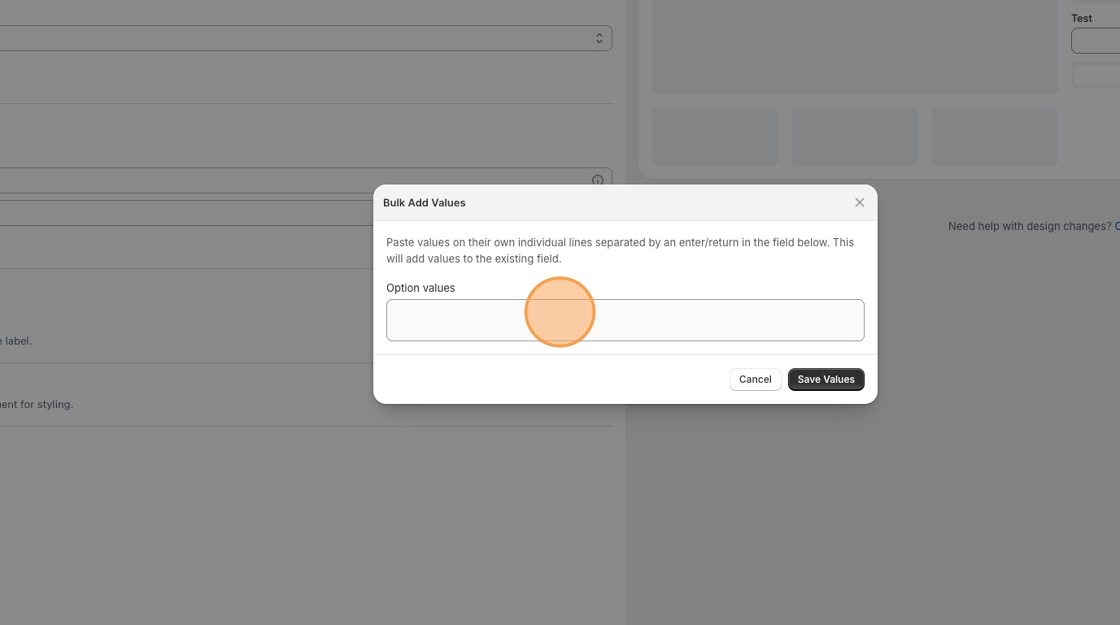
A modal will appear. Paste or type your values into the **Option values** field, placing each value on its own line.
Click **Save Values**. Your values will be added to the option.
:::note
**Note:** Bulk Add does not support CSV import. Values need to be pasted or typed directly into the field, one per line.
:::