> For the complete documentation index, see [llms.txt](https://docs.theshoppad.com/bouncer/llms.txt). Markdown versions of documentation pages are available by appending `.md` to page URLs; this page is available as [Markdown](https://docs.theshoppad.com/bouncer/add-bouncer-to-your-fablet-store.md).
# Add Bouncer to your Fablet store
Install the Bouncer age verification popup on a Fablet store by adding a custom script in the Integrations tab of your Fablet dashboard.
Follow the steps below on how to add Bouncer to your Fablet store.
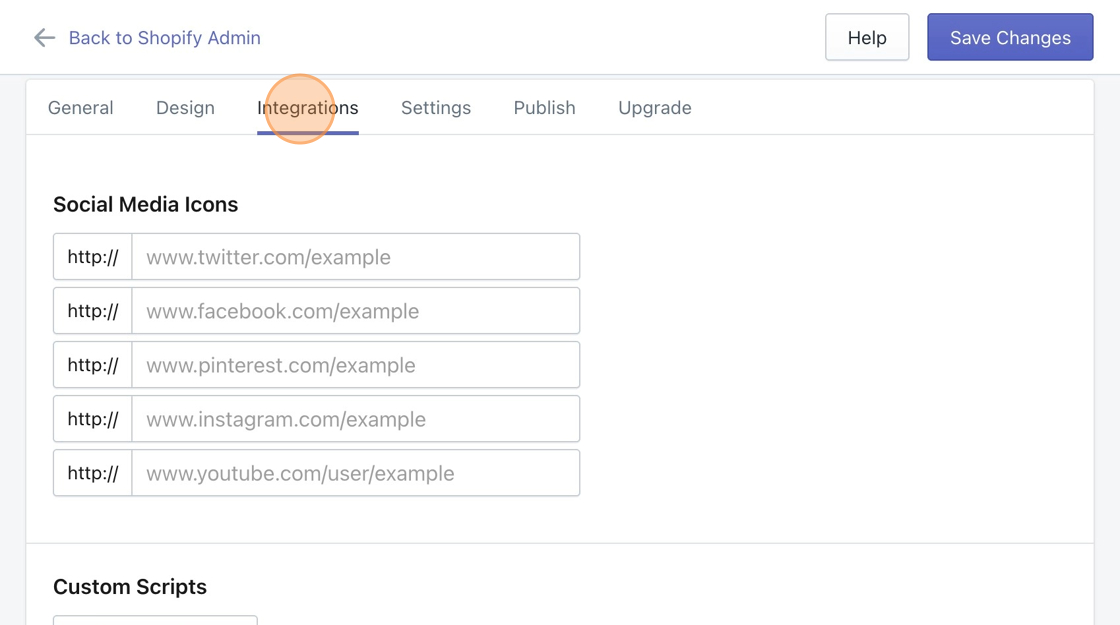
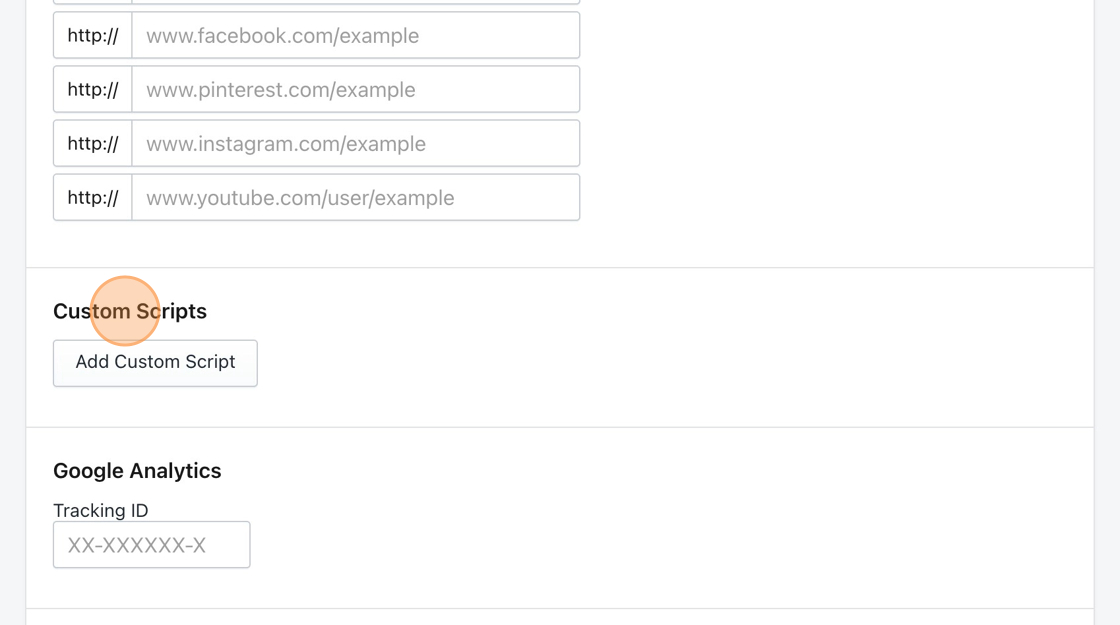
1. Starting from your Fablet dashboard, navigate to the **Integrations** tab, then scroll down to the section titled **Custom Scripts**.
2. Click the **Add Custom Script** button.
3. Paste the following snippet in the text field provided.
```url
d1liekpayvooaz.cloudfront.net/apps/bouncer/bouncer.js?shop=STORENAME.myshopify.com
```
4. Replace the **STORENAME** text in the pasted snippet with your store's UUID.
* For example, the site [**http://shoeworld-4.myshopify.com**](http://shoeworld-4.myshopify.com/) would replace **STORENAME** with **shoeworld-4**.
5. **Save** your changes.